 network
Port Numbers Explained: Common Ports and What They Do
When I was learning networking, IP addresses finally made sense to me through a simple analogy: an IP address is a building's street address. But that left a question — if a server runs a website, an email service and a database all at once, how does incoming data know which one it's for? The answer is ports, and they're the apartment number that gets data to the right door inside the building. Once that clicked, a lot of networking stopped being mysterious.
Here's what ports are, the ranges that matter, and the ones you'll actually meet.
What a port is
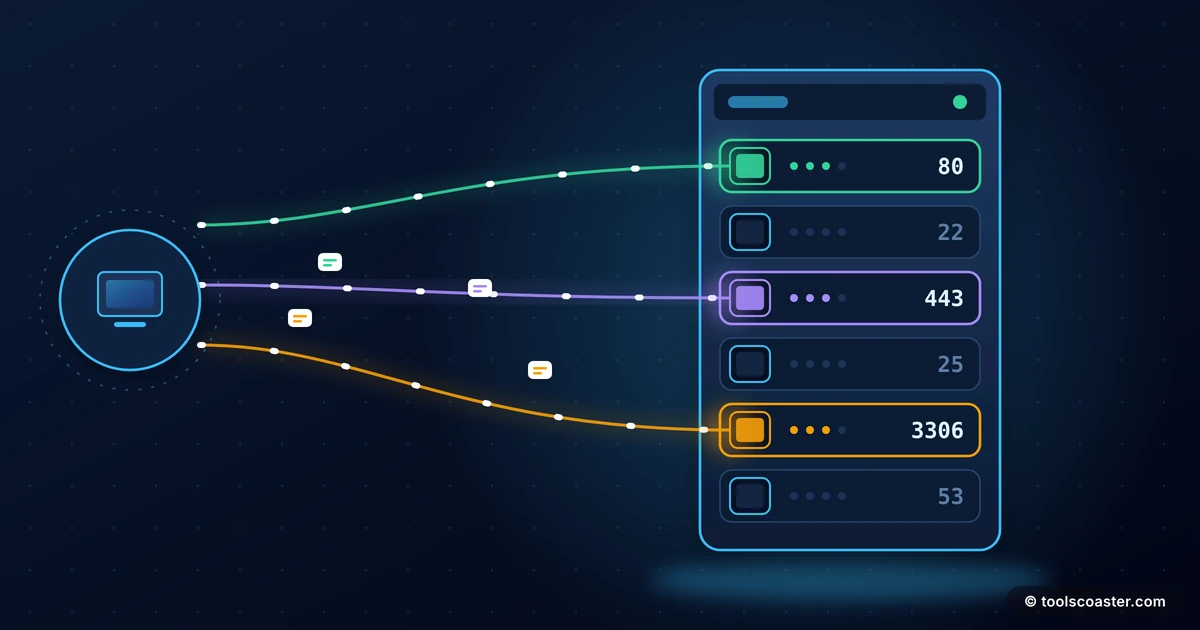
A port is a numbered endpoint that identifies a specific service on a device. The IP address gets data to the right computer; the port number gets it to the right program on that computer. Together they form a complete destination, written as address:port — like 192.168.1.10:443.
This is what lets one server offer many services at once. Web traffic arrives on one port, email on another, a database on another, and each service listens only to its own number. Without ports, a machine could run just one networked service at a time.
The three ranges
Port numbers run from 0 to 65535, divided into three ranges:
- Well-known ports (0–1023): reserved for standard, widely-used services. HTTP, HTTPS, SSH and DNS all live here. These assignments are universal, so software knows where to find them by default.
- Registered ports (1024–49151): assigned to specific applications and services by request, but not as sacred as the well-known range. Databases and many apps use these.
- Dynamic / ephemeral ports (49152–65535): temporary ports your own computer picks on the fly for outgoing connections. When you load a web page, your machine opens a random high port to receive the reply.
An IP address calculator helps when you're working through addresses and subnets alongside ports; a port reference lists what the common numbers are for.
The ports you'll actually meet
A handful come up constantly, and knowing them makes server work and troubleshooting much faster:
- 80 — HTTP: plain, unencrypted web traffic.
- 443 — HTTPS: encrypted web traffic. Modern sites use this and redirect 80 to it.
- 22 — SSH: secure remote login to servers.
- 53 — DNS: the domain-name lookups that turn
example.cominto an IP. - 25 / 587 — SMTP: sending email.
- 3306 / 5432: MySQL and PostgreSQL databases (registered-range examples).
If you remember just 80, 443 and 22, you'll recognise most of what you see in day-to-day web and server work.
A quick worked example
Say your website won't load but the server is clearly running. You check and find the app is listening on port 3000, but visitors reach it on 443. The missing link is that nothing is forwarding public HTTPS traffic from 443 to your app's 3000 — a reverse proxy or port mapping isn't set up. Understanding ports turns "the site is down" into a specific, fixable diagnosis: the right door exists, but no one connected the building's main entrance (443) to it. That's the kind of problem ports make legible.
80 vs 443: why both exist
These two cause the most confusion, so it's worth being clear. Both carry web traffic, but 80 is plain HTTP and 443 is encrypted HTTPS. In the past sites used 80; today, because encryption is expected everywhere, sites serve on 443 and set up port 80 to redirect visitors to the secure 443 version. So when you type a bare example.com, you hit 80 briefly and get bounced to 443 — which is why the padlock appears even though you didn't type "https".
Ports and security
Ports are also where a lot of security lives. Every open port is a potential door, so good practice is to open only the ports a server actually needs and close the rest — a firewall's main job. "Port scanning" is attackers probing which doors are open; keeping unnecessary ports closed shrinks what they can reach. When you expose a service to the internet, you're deliberately opening its port, so it's worth knowing exactly which ones are open and why.
The takeaway
If an IP address is the building and the data is the mail, a port is the apartment number that gets it to the right door. Ports let one machine run many services, split into well-known (0–1023), registered (1024–49151) and dynamic (49152+) ranges. Learn the big ones — 80 and 443 for web, 22 for SSH, 53 for DNS — and the once-mysterious world of "the server's up but the site's down" turns into a clear map of doors you can check one by one. Keep the unused ones closed, and you've covered both the plumbing and a good chunk of the security.
Frequently Asked Questions
What is a network port?
A numbered endpoint on a device that identifies a specific service. If the IP address gets data to the right computer, the port gets it to the right program — like HTTP on 80 or HTTPS on 443.
What are the well-known ports?
Ports 0–1023, reserved for standard services: 80 (HTTP), 443 (HTTPS), 22 (SSH), 53 (DNS), 25 (SMTP). Ports 1024–49151 are registered, and above that are dynamic/ephemeral ports.
What's the difference between port 80 and 443?
Both serve web traffic: 80 is plain HTTP, 443 is encrypted HTTPS. Modern sites use 443 and redirect 80 to it so everything is encrypted.
Explore 500+ Free Online Tools
No sign-up. No cost. Forever free — for developers, writers & creators.