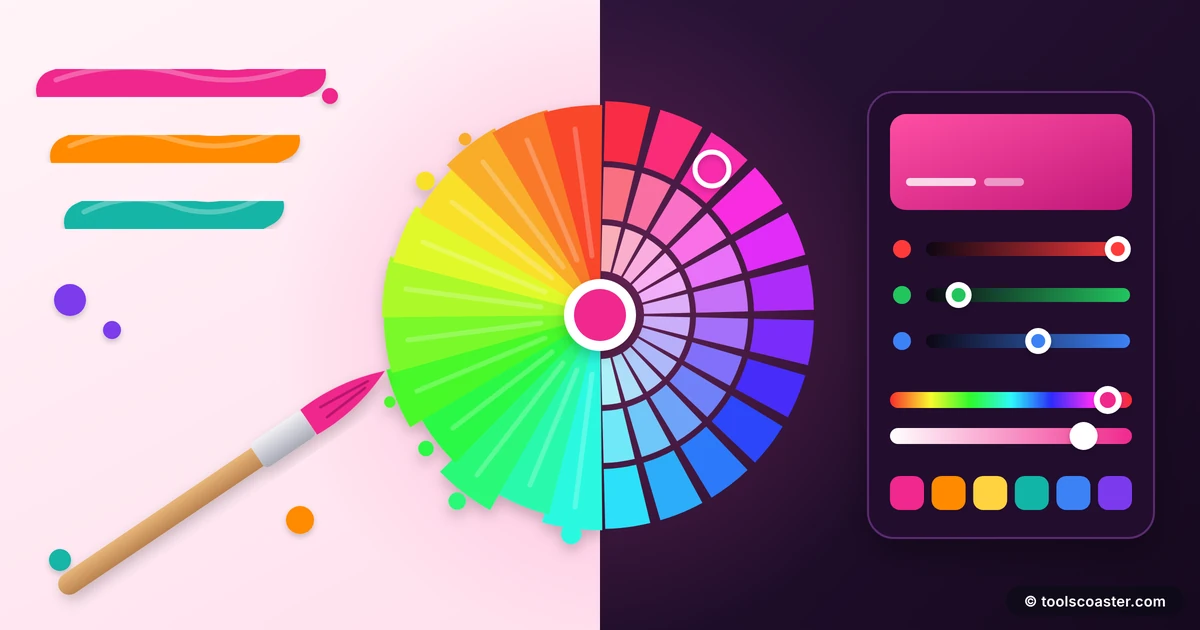
 color
colorHEX, RGB and HSL: Converting Color Codes the Easy Way
The same shade of indigo can be written as #4F46E5, rgb(79, 70, 229), or hsl(243, 75%, 59%). Three completely different strings, one identical colour. When I first started building websites this drove me slightly mad — why does CSS have three ways to say the same thing? The answer, once it clicked, made me a far more confident designer: each format is good at a different job.
Here is what HEX, RGB and HSL each mean, how they relate, and which one to reach for when.
RGB: how screens actually make colour
Everything on your screen is built from three tiny lights — red, green and blue — mixed at different intensities. RGB states those intensities directly, each from 0 to 255.
rgb(255, 0, 0)is pure red.rgb(0, 0, 0)is black (all lights off).rgb(255, 255, 255)is white (all lights full).
RGB is the most literal format: it describes exactly what the hardware does. Its practical superpower is transparency — rgba(79, 70, 229, 0.5) adds an alpha channel for 50% opacity, which is why RGB shows up whenever you need a semi-transparent overlay or shadow.
HEX: the same thing, compressed
HEX is simply RGB written in hexadecimal shorthand. A HEX code like #4F46E5 is three pairs of characters: 4F for red, 46 for green, E5 for blue, each pair being a 0–255 value in base 16.
So HEX and RGB carry identical information — #4F46E5 and rgb(79, 70, 229) are the same colour. HEX just packs it into a compact, copy-paste-friendly string, which is why it dominates design handoffs, style guides and "what's the brand colour?" conversations. The trade-off is that it is hard to read by eye: you cannot glance at #4F46E5 and know it is a muted indigo the way you might reason about HSL. A colour converter turns any HEX into its RGB and HSL equivalents instantly.
HSL: the format built for humans
HSL stands for Hue, Saturation, Lightness, and it is the format I reach for whenever I need to adjust a colour rather than just state it.
- Hue (0–360°) is the colour itself, as a position on the colour wheel: 0 is red, 120 is green, 240 is blue.
- Saturation (0–100%) is how vivid it is: 100% is full colour, 0% is grey.
- Lightness (0–100%) is how bright: 50% is the pure colour, 100% is white, 0% is black.
The reason HSL is so useful is that each number means something intuitive. Want a darker version of a colour? Lower the lightness. Want to mute it? Drop the saturation. Want a related colour? Shift the hue. With HEX or RGB, making a colour "slightly darker" means recalculating three intertwined numbers; with HSL you nudge one.
A quick worked example
Say your brand colour is hsl(243, 75%, 59%) — that indigo again. You need a hover state that is a touch darker. In HSL you just lower the lightness to, say, 50%, giving hsl(243, 75%, 50%) — same hue, same vividness, just deeper. Try doing that in HEX and you would be guessing at new values for all three byte-pairs. Design the colour in HSL, then run it through a colour converter to get the HEX your stylesheet or a teammate expects.
Which format to use when
They are interchangeable in CSS, so the choice is about convenience.
- Use HEX for sharing, brand guidelines, and pasting a single solid colour. It is the universal shorthand everyone recognises.
- Use RGB/RGBA when you need transparency — overlays, shadows, glass effects — because the alpha channel lives here.
- Use HSL/HSLA when you are generating or adjusting colours: building hover and active states, creating tints and shades, or deriving a palette from one base hue.
A common professional workflow is to design in HSL (because it is tweakable), then export to HEX (because it is portable). Tools make that round-trip painless.
Getting the conversions right
You rarely need to convert these by hand — the math between HSL and RGB in particular is fiddly — but it helps to know the relationships so you can sanity-check.
- HEX ↔ RGB is a straightforward base-16 translation;
FFis 255,00is 0. - RGB ↔ HSL involves finding the max and min channels, which is where a tool earns its keep.
- A colour converter accepts any format and outputs the others, so you can design in whichever is comfortable and ship whichever is required.
If you are picking colours from scratch rather than converting, a colour palette generator will propose a harmonious set and give you all three codes for each.
The takeaway
HEX, RGB and HSL are three languages for the same thing, and fluency means knowing which to speak when. HEX is the portable shorthand, RGB is the hardware-honest format with transparency, and HSL is the human-friendly one for adjusting and generating colour. Design in HSL when you want control, convert to HEX when you want to share, and reach for RGBA when you need to see through. Keep a converter handy and the three-ways-to-say-indigo confusion disappears for good.
Frequently Asked Questions
What's the difference between HEX and RGB?
They describe the same thing. HEX (#4F46E5) is a compact hexadecimal shorthand; RGB (rgb(79,70,229)) states the red, green and blue channels as numbers. HEX is common for sharing; RGB makes transparency easy with rgba().
Why use HSL?
HSL (hue, saturation, lightness) is the easiest to adjust by hand — lower the lightness for a darker shade, drop the saturation to mute a color — because each value means something intuitive.
How do I convert between color formats?
Use a color converter: enter a value in any format and it outputs the others instantly, so you can design in HSL and export the HEX your stylesheet needs.
Explore 500+ Free Online Tools
No sign-up. No cost. Forever free — for developers, writers & creators.