 color
colorColor Theory for the Web: HEX, RGB, HSL and Building Palettes
Color is the first thing people notice about a design and the last thing many developers learn properly. We pick a blue that "looks nice", bolt on a few more shades, and wonder why the result feels off. The good news is that web color is governed by a few clear systems, and once you understand them, building balanced, accessible palettes becomes repeatable rather than lucky.
This guide explains how HEX, RGB and HSL work, how to read and tweak them, and a reliable method for building palettes.
The three color formats you will meet
On the web, the same color can be written three ways. They describe the same thing differently.
HEX
#4F46E5 is the most common format for sharing exact values. It is really RGB in shorthand: two hex digits each for red, green and blue. It is compact and unambiguous, but almost impossible to adjust in your head.
RGB
rgb(79, 70, 229) states the red, green and blue channels directly, each from 0 to 255. It maps cleanly to how screens emit light, and it is easy to add an alpha channel for transparency: rgba(79, 70, 229, 0.5).
HSL
hsl(243, 75%, 59%) describes hue (position on the color wheel, 0–360), saturation (how vivid, 0–100%) and lightness (0–100%). This is the format I reach for when adjusting colors by hand, because each part means something intuitive.
A color converter translates between all three instantly, so you can design in whichever one suits the task.
Why HSL makes life easier
Say you have a button color and you need a slightly darker shade for its hover state. In HEX, that is guesswork. In HSL, you simply lower the lightness by ten percent and keep hue and saturation the same — guaranteeing a matching shade.
This is the practical superpower of HSL:
- Need a shade? Lower the lightness.
- Need a tint? Raise the lightness.
- Need a muted version? Lower the saturation.
- Need a related color? Rotate the hue.
Because the controls are independent, you can build whole families of colors from one base without them clashing.
Building a palette that works
A balanced palette is not a random assortment of favourites. It follows relationships on the color wheel.
- Complementary — two colors opposite each other (hues ~180° apart). High contrast, energetic. Great for a primary and an accent.
- Analogous — three colors next to each other. Harmonious and calm.
- Triadic — three colors evenly spaced (120° apart). Vibrant but balanced.
A dependable recipe:
- Choose one base hue that fits the brand or mood.
- Pick a relationship (complementary or analogous) for an accent.
- Generate shades and tints of each by varying lightness.
- Add neutrals — a near-black, a near-white, and a couple of greys — for text and backgrounds.
A color palette generator can kick-start this, producing coordinated sets you then refine.
Accessibility is not optional
A beautiful palette that nobody can read is a failed palette. Contrast between text and background is the critical factor. The WCAG guidelines ask for:
- At least 4.5:1 for normal body text.
- At least 3:1 for large text.
Low-contrast grey-on-white is a common and avoidable mistake. Always check your text colors against their backgrounds, and remember to test in both light and dark contexts if your site supports them.
Designing for dark mode and reuse
Two modern realities change how I pick colors: interfaces increasingly ship in both light and dark themes, and colors are managed as reusable tokens rather than scattered hex values.
Dark mode is not just "invert"
Flipping a light palette to dark rarely works. Pure white text on pure black is harsh and causes eye strain and halation. Better practice:
- Use a very dark grey (not
#000) for backgrounds and a soft off-white (not#fff) for text. - Reduce saturation in dark mode — vivid colors that look great on white can glow unpleasantly on black.
- Re-check contrast separately for the dark theme; a pair that passes on light can fail on dark.
Think in tokens, not values
Instead of sprinkling #4F46E5 through your stylesheet, define it once as a variable — --color-primary — and reference that everywhere. Then shades become --color-primary-600, --color-primary-700, and so on. This is where HSL pays off again: generating a consistent scale by stepping lightness gives you a whole token set from one base hue. When the brand color changes, you edit one value and the entire interface updates, light and dark alike.
This systematic approach is the difference between a palette that looks hand-assembled and one that scales cleanly across a whole product.
Putting it into practice
When I build a theme now, the workflow is consistent: choose a base in HSL, derive an accent by rotating the hue, build shades by stepping lightness, add neutrals, then verify every text-on-background pair meets contrast. The result feels designed rather than assembled, and it is fully repeatable.
The takeaway
Web color stops being mysterious once you know the systems. HEX is for sharing exact values, RGB maps to the screen, and HSL is for adjusting colors intuitively — so design in HSL, then export to HEX. Build palettes from color-wheel relationships rather than guesswork, derive shades by varying lightness, and never ship a combination that fails contrast. Start experimenting with a color palette generator and a color converter, and your interfaces will look intentional every time.
Frequently Asked Questions
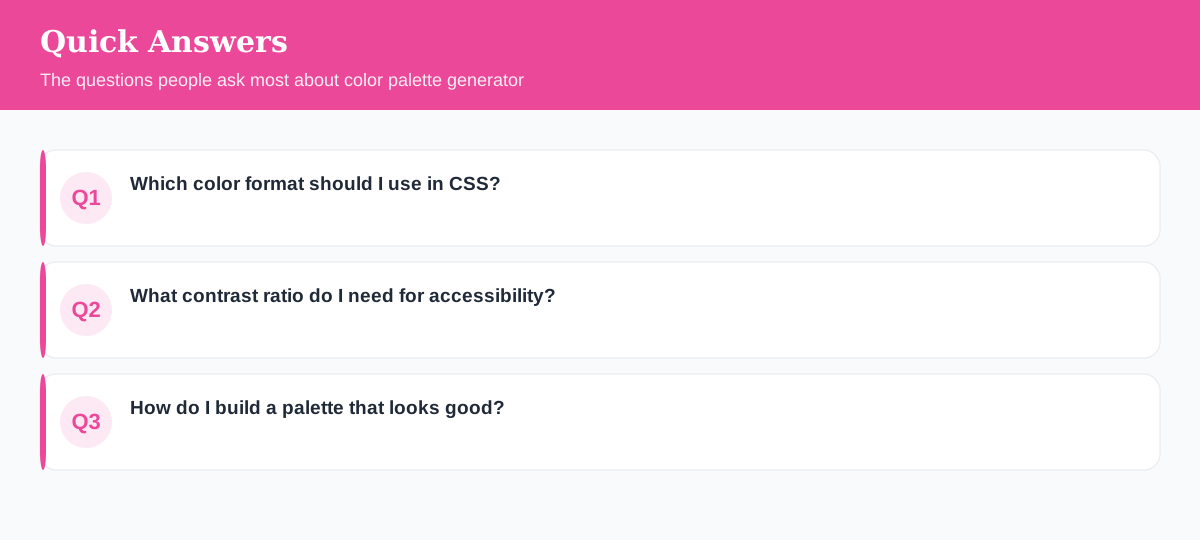
Which color format should I use in CSS?
All work, but HSL is easiest to tweak by hand because you adjust hue, saturation and lightness independently. HEX is the most common for sharing exact values.
What contrast ratio do I need for accessibility?
WCAG AA asks for at least 4.5:1 for normal text and 3:1 for large text. Checking contrast prevents your content being unreadable for many users.
How do I build a palette that looks good?
Start with one base color, then use color relationships — complementary, analogous or triadic — and vary lightness for shades. Keep it to a few core colors plus neutrals.
Explore 500+ Free Online Tools
No sign-up. No cost. Forever free — for developers, writers & creators.