 generator
Generating Test Data: Random Strings, Numbers, Names and UUIDs
Early in my career I seeded a test database with real customer records I'd copied from production "just to have realistic data." It worked fine until a test email accidentally went out to those real addresses. Lesson learned, permanently: test environments need fake data that behaves like real data without being real data. Generating it well is a small skill that saves hours of debugging and prevents genuine privacy accidents.
Here's how to generate the test data you actually need.
Why you need generated data
Good test data does two jobs. It fills your system so you can see how a list, a table or a report behaves with realistic volume — a layout that looks fine with three rows can fall apart with three hundred. And it exercises your validation by throwing varied inputs at your code: long names, odd characters, boundary numbers.
Using real data for this is tempting and wrong. It carries privacy and compliance risk, it can trigger real emails or charges, and it often doesn't cover the edge cases you need because real users are depressingly ordinary. Generated data lets you control volume and variety while keeping real people out of your test runs.
The building blocks
A few generators cover most testing needs:
Random strings for tokens, passwords, slugs and filler. A random string generator lets you set length and character set, so you can produce anything from a short code to a long opaque token.
Random numbers within a range for ages, prices, quantities and IDs. A random number generator keeps values inside sensible bounds so your test data stays realistic.
Random names for user records that read like real people without being any real person. A random name generator fills a users table far faster than inventing names yourself — and avoids the trap of typing your coworkers' names in.
UUIDs for unique identifiers that won't collide. A UUID generator produces values like 550e8400-e29b-41d4-a716-446655440000 that are safe to use as primary keys across systems.
UUIDs: the unique-ID workhorse
UUIDs deserve a closer look because they solve a specific, common problem. A UUID (Universally Unique Identifier) is a 128-bit value, usually shown as 32 hex digits in five dash-separated groups. The point is in the name: they're generated to be unique without a central authority handing them out.
That matters when you can't rely on a simple auto-incrementing counter — for example, when records are created on multiple servers, offline clients, or different databases that later merge. Two machines can each mint a UUID and the odds of a collision are vanishingly small. For a single small table a plain counter is simpler, but the moment uniqueness has to hold across systems, UUIDs are the answer.
A quick worked example
Say you need to populate a 200-row users table to test pagination. Generate 200 names, 200 UUIDs for the ids, and random numbers for ages between 18 and 80. Paste them into your seed script and you have a realistic dataset in a minute — enough rows to see page boundaries, sort order and "load more" behaviour, with zero real people involved. Trying to hand-type even 20 believable rows would take longer and be less varied.
Tips for data that tests well
A few habits make generated data genuinely useful rather than just filler:
- Cover the edges. Include very long strings, empty-ish values, and boundary numbers (0, negative, maximum) — bugs hide at the extremes, not the middle.
- Keep it obviously fake. Use clearly test-y emails (like
test+01@example.com) so a stray message can't reach a real inbox. - Generate in batches and dedupe. Random strings and numbers can repeat; if you need uniqueness, generate extra and remove duplicates, or use UUIDs which are unique by design.
- Match your real shape. If real names are sometimes two words and sometimes three, let your test data vary too, or you'll miss layout bugs.
- Never reuse production data. It's the one rule with no exceptions.
A note on sensitive fields
For anything that looks like real personal data — emails, phone numbers, card numbers — prefer generators that produce clearly invalid-but-well-formed values, and run everything locally in your browser so nothing is sent anywhere. The goal is data that passes format validation for testing without being usable or traceable to a real person.
The takeaway
Generating test data is a quiet productivity multiplier: it lets you fill systems, exercise validation and demo features without the risk and tedium of using or inventing real records. Reach for random strings, numbers and names to populate, UUIDs when you need guaranteed-unique IDs, and always keep the data obviously fake and locally generated. Do that and you'll never again be the person who accidentally emailed production from a test run.
Frequently Asked Questions
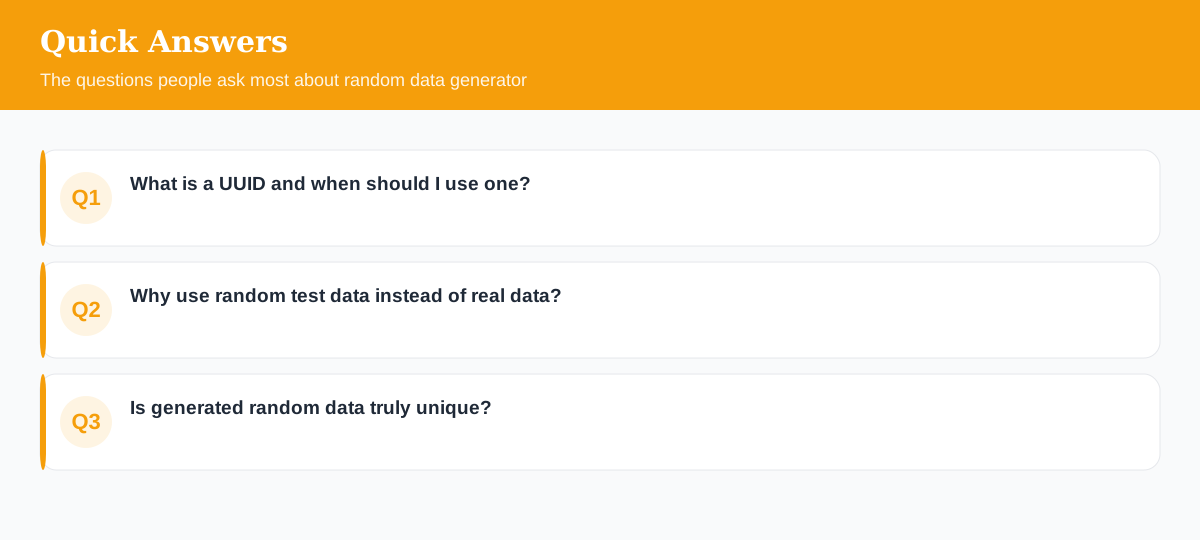
What is a UUID and when should I use one?
A UUID is a 128-bit universally unique identifier (like 550e8400-e29b-41d4-a716-446655440000). Use it when you need IDs that won't collide across systems without a central counter.
Why use random test data instead of real data?
Real data carries privacy risk and often doesn't cover edge cases. Random test data lets you fill a database, exercise validation, and demo features without exposing anyone's information.
Is generated random data truly unique?
UUIDs are effectively unique by design. Random strings and numbers can repeat, so generate a batch and dedupe if you need guaranteed-unique values.
Explore 500+ Free Online Tools
No sign-up. No cost. Forever free — for developers, writers & creators.