 security
Encoding vs Encryption vs Hashing: Know the Difference
In a code review once, I found a comment that read // encrypted the password with base64. That single line contained two serious misunderstandings, and it is the exact confusion that leads to real security breaches. Encoding, encryption and hashing sound interchangeable, people use the words loosely, and mixing them up has genuine consequences.
Let me clear it up once and for all, because getting these three straight is one of the most useful pieces of security literacy you can have.
Encoding: changing the format
Encoding transforms data from one format into another so it can be safely stored or transported. That is its entire purpose. The classic example is Base64, which turns binary data into plain text so it survives systems built for text.
The defining property of encoding is that it is public and fully reversible by anyone. There is no key, no secret. Anyone who sees an encoded value can decode it in one step — a Base64 tool will reverse it instantly. That means encoding provides exactly zero security. If you "encode" a password to protect it, you have protected nothing; you have simply written it in a different alphabet.
Encoding is the right tool for format and transport problems — embedding an image in HTML, making data URL-safe, fitting binary into JSON. It is the wrong tool for anything involving secrecy.
Encryption: reversible with a key
Encryption scrambles data so that only someone with the correct key can turn it back into the original. Without the key, the output is meaningless noise. This is genuine security, and the key is what makes it work.
The essential property is that encryption is reversible — but only with the key. You encrypt a message, send it, and the intended recipient decrypts it. An eavesdropper without the key sees gibberish.
There are two broad families:
- Symmetric encryption uses the same key to encrypt and decrypt (fast, great for bulk data).
- Asymmetric encryption uses a public key to encrypt and a private key to decrypt — this is what secures HTTPS and lets strangers exchange secrets safely.
Use encryption when you need to protect data but read it back later: messages, files, database fields holding sensitive information, HTTPS traffic. The whole point is recoverability for the authorised party.
Hashing: one-way by design
Hashing runs data through a one-way function that produces a fixed-size fingerprint — the hash. The defining property, and the one people miss, is that hashing is not reversible. You cannot get the original back from the hash, by design. There is no key that "undoes" it.
The same input always produces the same hash, but even a tiny change to the input produces a completely different output. A hash generator lets you see this: change one character and the entire fingerprint changes.
Hashing is for two main jobs:
- Verifying integrity. Hash a file before and after transfer; if the hashes match, nothing was altered.
- Storing passwords. More on this below — it is the classic use.
Why passwords are hashed, not encrypted
This is the question that ties it all together, and the answer reveals why the distinction matters. When you log in, the system does not need to know your actual password — it only needs to check whether what you typed matches what you set. Hashing is perfect for that: store the hash, hash the login attempt, compare the two.
Why not encrypt instead? Because encryption is reversible, which means the original passwords could be recovered if the key leaks. With hashing, even if the entire database is stolen, the attacker gets fingerprints, not passwords. Proper password hashing adds a salt (a random value per password) so that identical passwords produce different hashes and precomputed attack tables are useless.
So the rule is: if you ever need the original value back, encrypt; if you only need to verify a match, hash. Passwords fall firmly in the "only verify" camp.
A quick worked example
Take the word secret. Base64-encode it and you get c2VjcmV0 — which anyone can decode back to secret in one click, so no protection at all. Hash it with SHA-256 and you get a long fixed fingerprint that cannot be reversed; feed Secret with a capital S and the fingerprint is entirely different. That is the whole lesson in one word: encoding hides nothing, hashing is a one-way match.
A cheat sheet to remember
When you are unsure which you are dealing with, ask one question — can I get the original back, and how?
- Encoding: reversible by anyone, no key. Purpose: format/transport. Security: none.
- Encryption: reversible only with a key. Purpose: confidentiality. Security: strong, if the key is protected.
- Hashing: not reversible at all. Purpose: verification and integrity. Security: strong one-way.
The mistake to never make
The breach-causing error is treating encoding as security. Base64 is not a lock; it is a different font. If you catch yourself thinking an encoded value is "hidden", stop — it is readable by anyone who finds it. Reach for encryption when you need secrecy with recovery, hashing when you need to verify without storing the secret, and encoding only when the problem is purely about format.
Keep those three straight and you will avoid the single most common category of amateur security mistakes — including the one hiding in that code comment.
Frequently Asked Questions
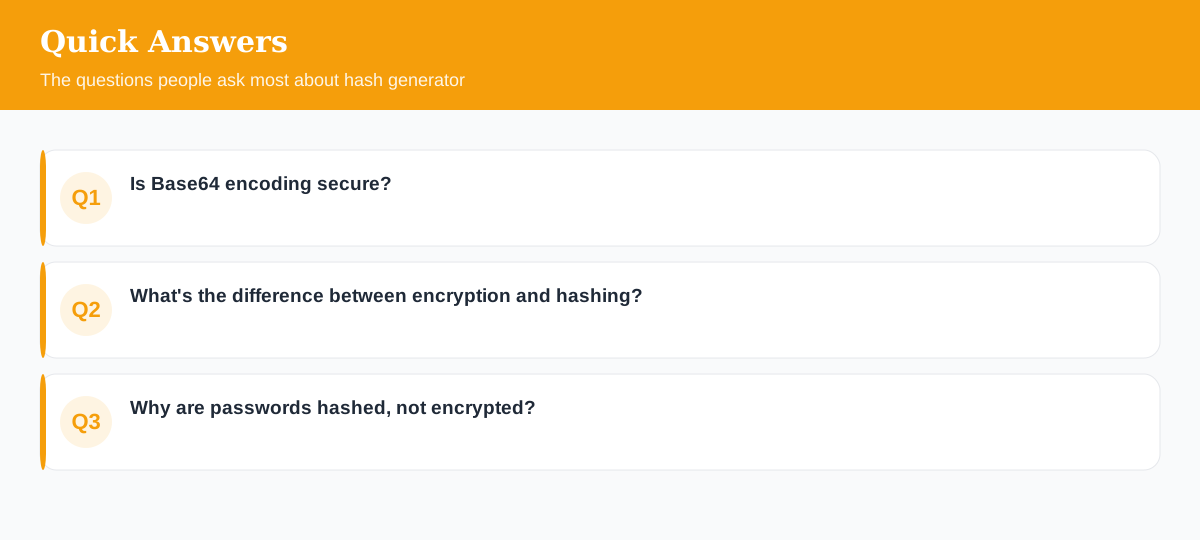
Is Base64 encoding secure?
No. Encoding like Base64 is fully reversible by anyone and provides no security. It only changes the format of data so it can be transported safely as text.
What's the difference between encryption and hashing?
Encryption is reversible with a key (you can get the original back); hashing is one-way (you can't reverse it). Use encryption to protect data you need to read later; use hashing to store passwords and verify integrity.
Why are passwords hashed, not encrypted?
Because you never need to recover the original password — only to check a match. A one-way hash (with salt) means that even if the database leaks, the actual passwords aren't directly exposed.
Explore 500+ Free Online Tools
No sign-up. No cost. Forever free — for developers, writers & creators.