 developer
JWT Tokens Explained: What's Inside and How to Decode One
The first time I had to debug a login problem, someone handed me a string that looked like keyboard soup: three long blocks of random characters separated by dots. "It's just the JWT," they said, as if that explained anything. It turned out to be one of the most readable things in the whole system once I understood its shape — and understanding JWTs has saved me countless hours of authentication debugging since.
Here's what a JSON Web Token actually is, what's inside it, and the one security rule people get wrong.
What a JWT is
A JWT (JSON Web Token, pronounced "jot") is a compact, self-contained way to carry claims — small facts like "this is user 42" and "this token expires at 3pm". Servers hand one to your browser when you log in, and your browser sends it back on every request to prove who you are, so the server doesn't have to look you up in a session store each time.
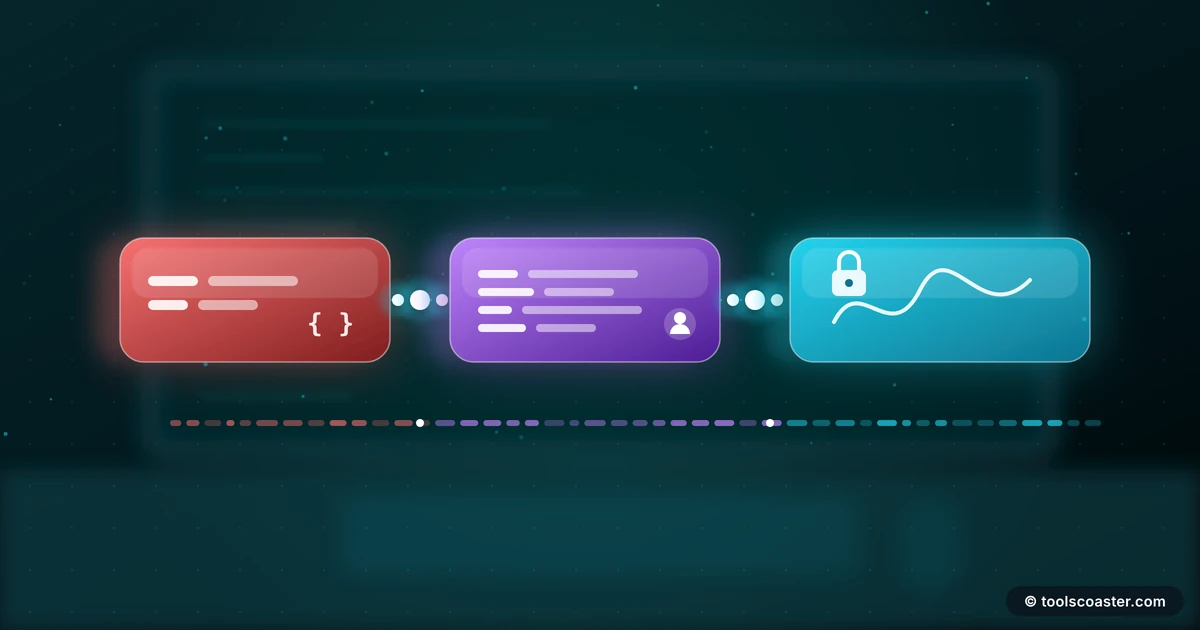
The giveaway is the structure: three Base64 chunks separated by dots, like xxxxx.yyyyy.zzzzz. Those three parts are the header, the payload and the signature.
The three parts
The header (first chunk) is a tiny JSON object naming the token type and the signing algorithm, e.g. {"alg":"HS256","typ":"JWT"}. It tells the server how the signature was made.
The payload (middle chunk) holds the claims — the actual data. Standard claims include sub (subject, usually the user id), exp (expiry time), and iat (issued-at time), alongside any custom fields the app adds like a role or email. This is the part you most often want to read when debugging.
The signature (third chunk) is the security piece. The server takes the header and payload, and signs them with a secret key (or a private key). On every request it re-computes the signature and checks it matches. If someone tampers with the payload — say, changing "role":"user" to "role":"admin" — the signature no longer matches and the token is rejected.
How to read one
Because the header and payload are just Base64-encoded JSON, you can decode and read them without any secret. Paste a token into a JWT decoder and it splits on the dots and decodes each part, showing you the claims in plain JSON. This is invaluable for debugging: you can instantly see which user the token is for, whether it's expired, and what role it carries.
If you're curious about the mechanics, the chunks are standard Base64 (the URL-safe variant), so a Base64 tool decodes them too — though a dedicated JWT decoder is cleaner because it handles the three parts for you.
A quick worked example
A login bug where users "randomly" get logged out turns out to be simple once you decode the token: paste it into the decoder, read the exp claim, and you see it's set to 15 minutes instead of 15 hours — a units mistake in the signing code. Without decoding, that's a day of guesswork; with it, a two-minute fix. The payload told you exactly what was wrong.
The mistake everyone makes
Here is the rule people get wrong, and it causes real breaches: a JWT is signed, not encrypted. The payload is only Base64-encoded, which anyone can decode. The signature stops tampering, but it does nothing to hide the contents.
So never put anything secret in a JWT payload — no passwords, no API keys, no sensitive personal data. Assume the user (and anyone who intercepts the token) can read every claim, because they can. The signature guarantees the claims weren't changed; it does not keep them private.
The second common mistake is forgetting that decoding is not verifying. A decoder shows you the claims, but it doesn't check the signature — that requires the secret or public key, which lives on the server. Reading a token tells you what it says; only signature verification tells you whether to trust it.
Practical tips
A few habits keep JWTs safe and sane:
- Keep them short-lived. A short
explimits the damage if a token leaks. Pair access tokens with longer-lived refresh tokens. - Validate the algorithm. Servers should reject tokens whose header asks for
alg: noneor an unexpected algorithm — a classic attack. - Store them carefully. In browsers, weigh the trade-offs of localStorage (vulnerable to XSS) versus httpOnly cookies (vulnerable to CSRF without protection).
- Don't bloat the payload. Every claim rides on every request. Keep it to what you need.
- Verify a hash or signature with the key, not by eye — a hash generator helps you understand the signing primitives, but real verification happens server-side with the secret.
The takeaway
A JWT looks intimidating and is actually one of the most transparent parts of modern auth: three Base64 chunks you can decode in seconds to see exactly who a request claims to be. Learn the header-payload-signature shape, use a decoder to debug, and burn one rule into memory — it's signed, not encrypted, so never hide a secret inside it. Get that right and JWTs become a tool you reach for with confidence instead of dread.
Frequently Asked Questions
What are the three parts of a JWT?
Header, payload and signature, separated by dots. The header names the algorithm, the payload holds the claims (like user id and expiry), and the signature verifies the token wasn't tampered with.
Is a JWT encrypted?
No — a standard JWT is Base64-encoded and signed, not encrypted. Anyone can decode and read the payload, so never put secrets or passwords inside it.
How do I decode a JWT to see what's in it?
Paste it into a JWT decoder; it splits the token and Base64-decodes the header and payload so you can read the claims. Decoding doesn't verify the signature — that needs the secret or public key.
Explore 500+ Free Online Tools
No sign-up. No cost. Forever free — for developers, writers & creators.