 developer
JSON Formatting and Validation: A Developer's Complete Guide
If you have written code that talks to an API, you have fought with JSON. It is the lingua franca of the web — clean, readable and everywhere — right up until a single misplaced comma throws Unexpected token and your app goes blank. In our day-to-day debugging, malformed JSON is one of the most common time sinks, and almost always avoidable.
This guide covers how to format and validate JSON quickly, the errors that bite most often, and how to convert JSON into other formats when you need them.
What JSON is (and what it is not)
JSON (JavaScript Object Notation) is a text format for structured data. It looks like JavaScript objects, but the rules are stricter:
- Keys must be wrapped in double quotes.
- Strings use double quotes only — never single quotes.
- No trailing commas, no comments, no functions.
- Values are limited to strings, numbers, booleans,
null, arrays and objects.
That strictness is a feature. Because the format is predictable, any language can parse it reliably. But it also means the small liberties you take in JavaScript will break JSON.
Formatting: why pretty-printing matters
Minified JSON on one endless line is fine for machines and miserable for humans. Formatting — indenting nested structures onto their own lines — is the fastest way to understand an unfamiliar payload and to spot structural problems.
When I inspect an API response, the first thing I do is paste it into a JSON formatter. Properly indented, a missing bracket or an extra level of nesting becomes obvious in seconds. A good formatter also validates as it formats, so it doubles as an error checker.
The errors that break JSON most often
Nearly every parse error I see falls into a short list.
Trailing commas
{ "name": "Ada", "role": "dev", }
That last comma after "dev" is valid in JavaScript but illegal in JSON. Remove it.
Single quotes
{ 'name': 'Ada' }
JSON requires double quotes on both keys and string values. Swap every single quote for a double quote.
Unquoted keys
{ name: "Ada" }
name must be "name". Unquoted keys are a JavaScript habit that JSON rejects.
Wrong value types
NaN, undefined, and Infinity are not valid JSON. Dates must be strings. If a value cannot be one of the allowed types, it has to be represented as a string.
When you hit one of these, a validator points at the exact line and character, which turns a frustrating hunt into a two-second fix.
Validate before you ship
Formatting makes JSON readable; validation proves it is correct. Validation matters most when the JSON is generated dynamically — by a template, a script, or string concatenation — because that is where stray commas and unescaped quotes creep in.
A simple habit: before committing a config file or sending a payload, run it through a validator. It is far cheaper to catch an error at your desk than in production logs.
Converting JSON into other formats
Once your JSON is clean, you often need it in another shape:
- JSON to TypeScript — generate interfaces so your editor autocompletes API fields and catches typos at compile time. A JSON to TypeScript converter scaffolds the types from a sample response.
- JSON to CSV — flatten an array of objects for a spreadsheet or a non-technical colleague with a JSON to CSV tool.
- JSON to SQL — draft
CREATE TABLEand insert statements from a dataset to prototype a schema fast.
Each of these saves tedious hand-typing. Treat the output as a strong first draft and tighten the types or columns for your real data.
Where JSON bites in the real world
Knowing the rules is one thing; the errors tend to cluster around specific situations. These are the ones that have cost me the most time.
- Hand-edited config files. JSON used for configuration (like many tool settings) forbids comments, so people paste a
//note and the whole file stops parsing. If you need comments, your tool probably supports a superset like JSON5 or JSONC — plain JSON does not. - String concatenation. The fastest way to produce broken JSON is to build it by gluing strings together in code. An unescaped quote or newline inside a value slips in unnoticed. Always serialise with your language's JSON library instead of assembling it by hand.
- Large payloads. A 2 MB API response is unreadable raw. Formatting it is the only sane way to find the one object that is shaped differently from the rest. If the payload is huge, many formatters let you collapse nested sections so you can drill in.
- Numbers and precision. Very large integers (like 64-bit IDs) can lose precision when parsed as JavaScript numbers. If an ID comes back subtly wrong, it may need to be transmitted as a string.
- Encoding. Non-ASCII characters must be valid UTF-8. A payload copied from a document with "smart quotes" can carry characters that break a strict parser.
Recognising which bucket an error falls into usually points straight at the fix, long before you finish reading the stack trace.
A practical JSON workflow
Here is the routine I recommend to every developer on a team:
- Format first. Pretty-print any JSON you did not write before reading it.
- Validate on generation. Any JSON your code builds should be validated in tests.
- Keep secrets out of online tools. Use a client-side formatter that parses in your browser and never uploads — so sensitive payloads never leave your machine.
- Generate, don't hand-write, derived formats. Interfaces, schemas and CSVs are mechanical; let a tool produce them.
The takeaway
JSON is simple, but its strictness is unforgiving. Most "broken API" moments are really a trailing comma or a single quote in disguise. Build two habits — format anything you need to read, and validate anything your code generates — and you will eliminate the vast majority of JSON headaches. Next time a payload refuses to parse, drop it into a JSON formatter and let it point you straight to the problem.
Frequently Asked Questions
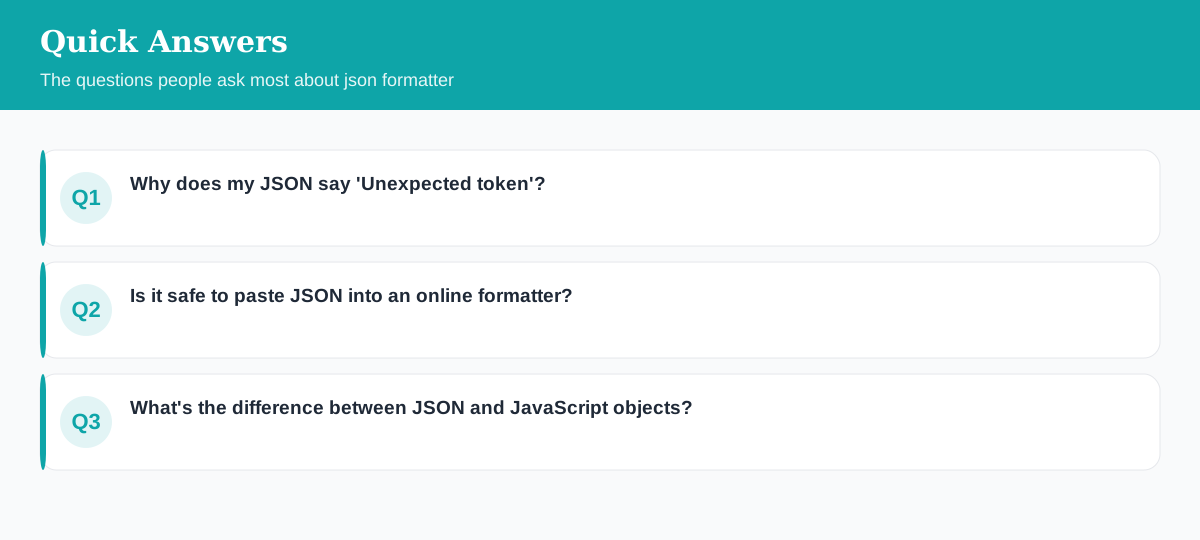
Why does my JSON say 'Unexpected token'?
Almost always a trailing comma, a single quote instead of double quotes, or an unquoted key. Validate the JSON and the error position usually points at the exact character.
Is it safe to paste JSON into an online formatter?
With a client-side tool, yes — the JSON is parsed in your browser and never uploaded. Avoid pasting secrets into any tool that sends data to a server.
What's the difference between JSON and JavaScript objects?
JSON requires double-quoted keys and strings, forbids trailing commas, comments and functions, and only allows a fixed set of value types. It is a data format, not code.
Explore 500+ Free Online Tools
No sign-up. No cost. Forever free — for developers, writers & creators.