 code
codeDev Boilerplate Generators: .gitignore, package.json and More
Every new project starts the same way: before you write a single line of the thing you actually want to build, you have to create a handful of setup files you have created a hundred times before. A .gitignore, a package.json, maybe an .editorconfig. None of it is interesting, all of it is error-prone when done from memory, and generators can produce correct versions in seconds. Automating this boring first step is one of the small habits that has genuinely saved me hours.
Here is a tour of the setup files worth generating, what each one does, and why reaching for a generator beats typing them by hand.
Why boilerplate is worth generating
Boilerplate files share two awkward properties. First, they are easy to get subtly wrong — a missing comma in JSON, a forgotten entry in .gitignore, a wrong field name — and the errors often fail silently or at the worst moment. Second, they are repetitive, so writing them from scratch each time is pure wasted effort.
Generators solve both. They produce syntactically valid, convention-following files tuned to your stack, so you start from a correct baseline instead of debugging your own setup.
.gitignore: keep junk out of your repo
The .gitignore file tells Git which files to never track. Get it wrong and you either commit things you should not, or waste time untangling them later.
The usual suspects it should exclude:
- Dependencies —
node_modules/and equivalents, which are huge and reinstallable. - Build output —
dist/,build/,.next/, compiled artifacts. - Secrets —
.envfiles holding API keys and passwords. This one is critical; a leaked.envin a public repo is a real security incident. - OS and editor cruft —
.DS_Store,Thumbs.db,.idea/,.vscode/. - Logs and caches —
*.log, cache directories.
The key insight is that the right list depends on your language and tools — a Python project ignores different things than a Node one. A .gitignore generator lets you pick your stack and produces the correct, comprehensive list, including the subtle entries you would forget. Committing a secret because you hand-wrote an incomplete .gitignore is exactly the mistake generators prevent.
package.json: the heart of a Node project
For JavaScript and Node projects, package.json is the manifest — it declares your dependencies, scripts, metadata and configuration. It is also strict JSON, so a single trailing comma or unquoted key breaks every tool that reads it.
Writing it by hand invites exactly those syntax errors. Generating it (or running npm init) gives you a valid structure with the required fields — name, version, scripts, dependencies — correctly formatted from the start. You then fill in the specifics rather than worrying about whether the JSON parses.
A quick worked example
Start a new Node tool by generating a .gitignore for "Node" and an initial package.json in the same minute. The .gitignore arrives already excluding node_modules/, .env and build output; the package.json arrives as valid JSON with a scripts block ready for your dev and build commands. Two files that would have taken careful typing and a syntax check are correct before you have even opened your editor — and your first git status is clean instead of showing a thousand node_modules files.
The other files worth standardising
A few more setup files punch above their weight, especially on teams.
.editorconfigstandardises indentation, line endings and character encoding across everyone's editors, so code looks consistent no matter who wrote it or which IDE they use. It ends the tabs-versus-spaces churn in pull requests.- README.md is your project's front door. Even a skeleton with a title, description and setup steps makes a repo dramatically more approachable.
- Config files for linters, formatters and TypeScript each have their own expected shape. Generating a starting config beats copying one from a half-remembered older project.
- Type definitions. If you are moving between data formats, a tool like a JSON-to-TypeScript converter can generate interface definitions straight from a sample payload, saving you from hand-typing types.
A sensible setup workflow
My routine for a fresh project looks like this, and it takes a couple of minutes rather than a frustrating half-hour:
- Generate
.gitignorefor the stack before the first commit, so nothing unwanted ever enters history. - Initialise
package.json(or the relevant manifest) with a generator orinitcommand. - Add
.editorconfigif more than one person will touch the code. - Drop in a README skeleton so future-you remembers how to run it.
- Generate configs for your linter and formatter as needed.
The point is not that any one of these is hard — it is that doing all of them correctly, from memory, every single time, is where mistakes creep in.
The takeaway
Boilerplate is the tax you pay at the start of every project, and generators are how you stop paying it in time and bugs. A .gitignore generator keeps secrets and junk out of your repo, an initialised package.json starts you with valid JSON, and standard config files keep a team consistent. Automate the boring first step, start from a correct baseline, and spend your real attention on the part of the project that actually matters — the code you came to write.
Frequently Asked Questions
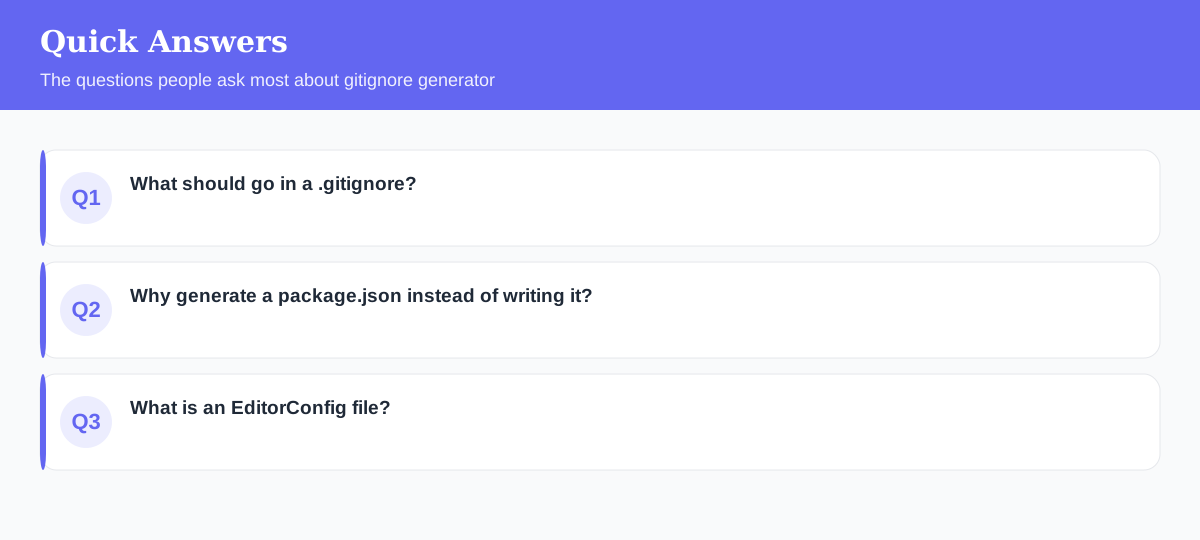
What should go in a .gitignore?
Anything that shouldn't be committed: dependencies (node_modules), build output, environment files with secrets (.env), logs and OS/editor cruft. A generator produces the right list for your stack.
Why generate a package.json instead of writing it?
A generator (or npm init) creates a valid structure with the required fields and correct JSON syntax, so you avoid typos and missing commas that break tooling.
What is an EditorConfig file?
`.editorconfig` standardizes indentation, line endings and charset across a team's editors, so everyone's code is formatted consistently regardless of their IDE settings.
Explore 500+ Free Online Tools
No sign-up. No cost. Forever free — for developers, writers & creators.