 converter
Unix Timestamps Explained: Converting Epoch Time to Dates
The first time I opened a database and saw a column full of numbers like 1760000000 where I expected dates, I assumed something was broken. Nothing was broken — I was looking at Unix timestamps, the quiet standard that computers use to store time. Once you understand that single idea, a huge amount of log files, API responses and database rows suddenly become readable.
Here's what Unix time is, why it exists, and how to convert it both ways.
What a Unix timestamp actually is
A Unix timestamp is simply the number of seconds that have elapsed since a fixed starting point: midnight UTC on 1 January 1970, known as "the epoch." So 1760000000 means roughly 1.76 billion seconds after that moment.
Why count from an arbitrary 1970 date? Because it makes time simple for computers. A single integer is easy to store, compare and do math with. Want to know which of two events came first? Compare two integers. Want the duration between them? Subtract. No time zones, no month-length quirks, no calendar edge cases — just a number that ticks up one per second, everywhere on Earth at once.
Why it's timezone-free (and why that's a feature)
A Unix timestamp is always in UTC. It represents an absolute instant, not a wall-clock reading. The same timestamp is the same moment whether you're in Tokyo or New York — your software converts it to local time only when it displays it to a human.
This is exactly why systems use it internally. Storing "3:00 PM" is ambiguous (3pm where?), and it breaks across daylight-saving changes. Storing the epoch second is unambiguous. The timezone is a display concern, applied at the last moment, not baked into the stored value. Getting this right prevents a whole category of "off by one hour" and "off by a day" bugs.
Seconds vs milliseconds: the classic gotcha
Here's the detail that trips everyone up. The Unix timestamp is officially in seconds, giving a 10-digit number today (like 1760000000). But JavaScript and many other systems use milliseconds, which is 13 digits (like 1760000000000).
Mix them up and your dates land in 1970 or far in the future. The quick check: 10 digits = seconds, 13 digits = milliseconds. To convert milliseconds to seconds, divide by 1000; to go the other way, multiply by 1000. Any time a converted date looks absurd, this units mismatch is the first thing to check.
Converting both ways
You rarely want to do epoch math by hand. Paste a timestamp into a Unix timestamp converter and it returns the human-readable date and time in both UTC and your local zone — and it converts a date back into epoch seconds, which is handy when you need to query "everything after this moment."
A quick worked example
A log line reads error at 1760000000. Alone, that's meaningless. Paste it into the converter and it becomes a specific date and time you can line up against other events. Now subtract it from a later timestamp — say 1760003600 — and the difference is 3,600 seconds, exactly one hour. Two integers just told you an outage lasted an hour, with no calendar math at all. That subtraction simplicity is the whole appeal of epoch time.
Where you'll meet Unix time
It shows up more than you'd think once you know to look:
- Log files timestamp every entry in epoch seconds.
- APIs often return
created_atandexpires_atas Unix times (JWT expiry, for instance). - Databases store timestamps this way for easy comparison and sorting.
- Programming — nearly every language's "current time" function returns epoch-based time.
- Cookies and tokens use it for expiry.
A couple of things worth knowing
Two footnotes save future headaches. First, when you need the gap between two human dates rather than a conversion, a date difference calculator is the friendlier tool — it speaks in days, weeks and months. Second, there's the "Year 2038 problem": systems that store the timestamp in a signed 32-bit integer run out of room in January 2038. Modern systems use 64-bit integers and are fine for billions of years, but it's a real reason older systems get upgraded.
The takeaway
A Unix timestamp is one of computing's most elegant simplifications: time as a single integer counting seconds from 1970, in UTC, the same everywhere. It makes storing, comparing and calculating time trivial for machines, with the timezone applied only when a human needs to read it. Learn the 10-digit-seconds versus 13-digit-milliseconds rule, keep a converter handy, and those walls of mysterious numbers in your logs and databases turn into plain, useful dates.
Frequently Asked Questions
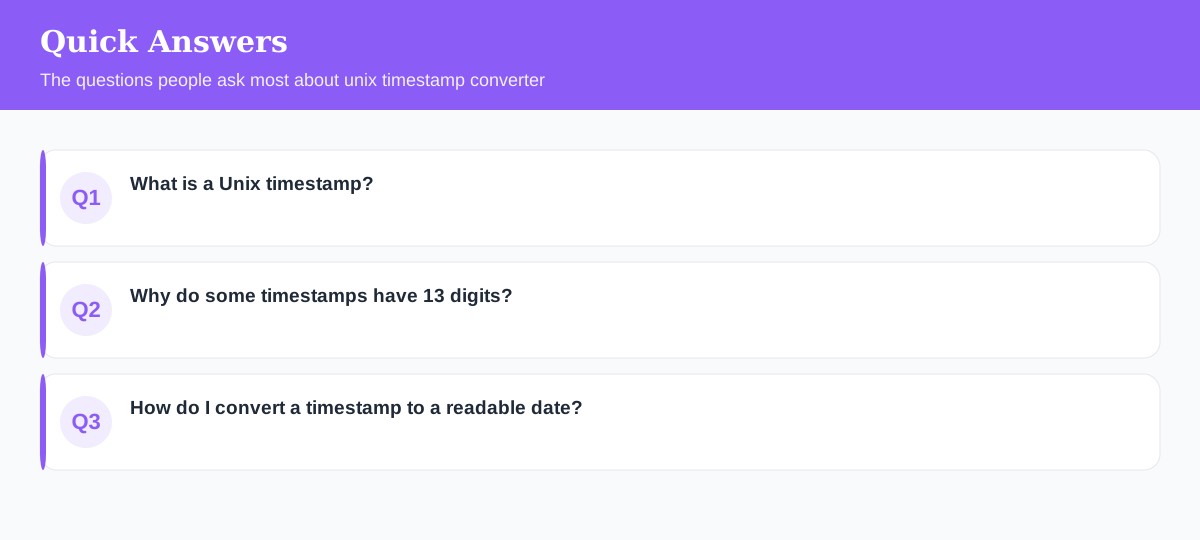
What is a Unix timestamp?
The number of seconds that have passed since midnight UTC on 1 January 1970 (the 'epoch'). It's a simple, timezone-free way for computers to store a moment in time.
Why do some timestamps have 13 digits?
Those are in milliseconds, not seconds — common in JavaScript. A 10-digit value is seconds; a 13-digit value is milliseconds. Divide by 1000 to convert milliseconds to seconds.
How do I convert a timestamp to a readable date?
Paste it into a timestamp converter and it returns the date and time in UTC and your local zone. It also converts a date back into epoch seconds.
Explore 500+ Free Online Tools
No sign-up. No cost. Forever free — for developers, writers & creators.